Technical Specifications Explained
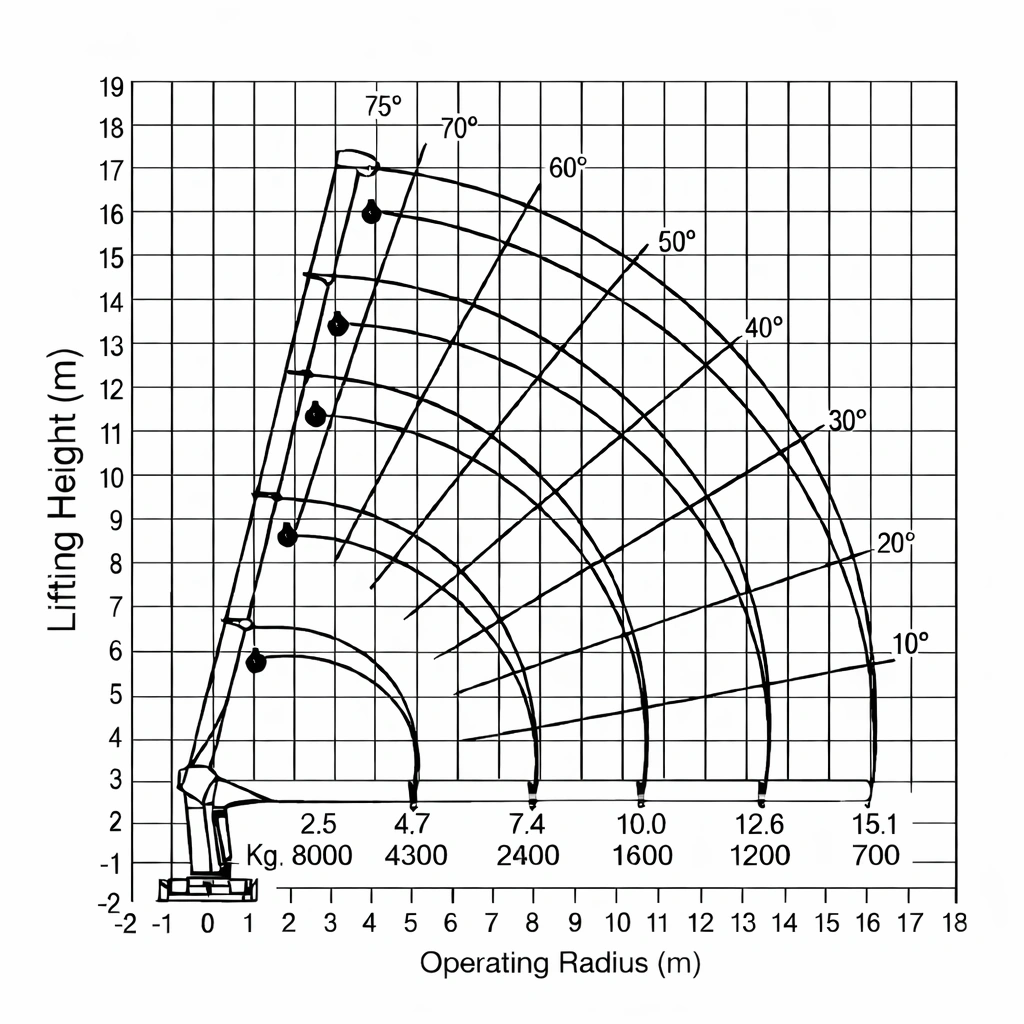
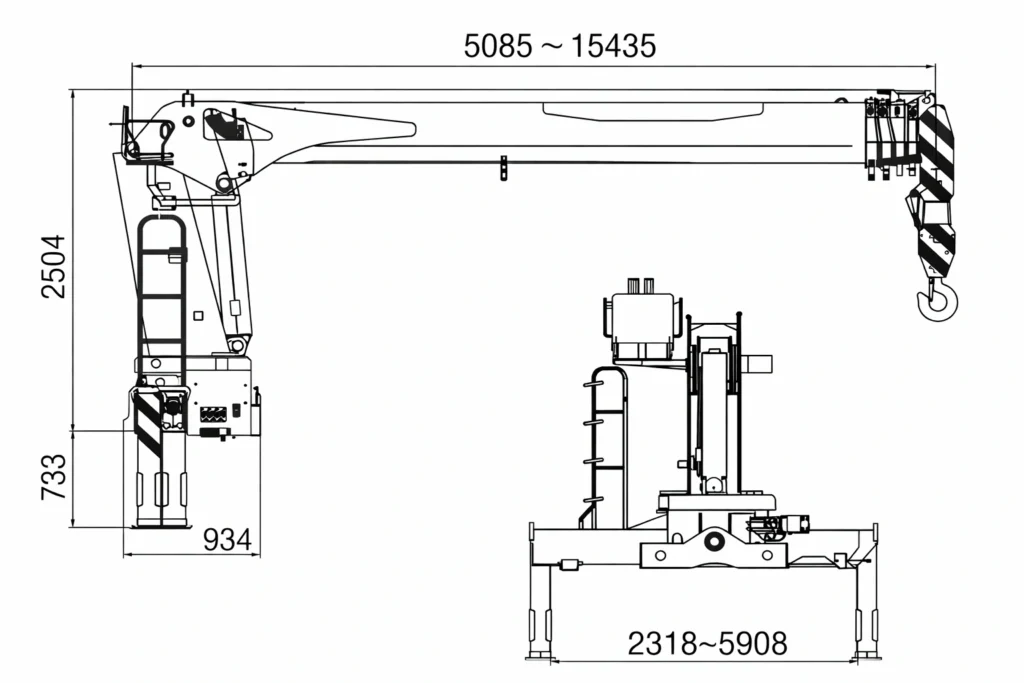
By seeing load chart, you can understand how much weight you can lift in certain boom length and working radius.
Before operation you can roughly know if you can lift the cargo in the desired position.
There are 3 kinds of figures shown in load chart.
- Boom Length
- Working Radius
- Max. lifting capacity table
Boom length corresponds to boom sections.
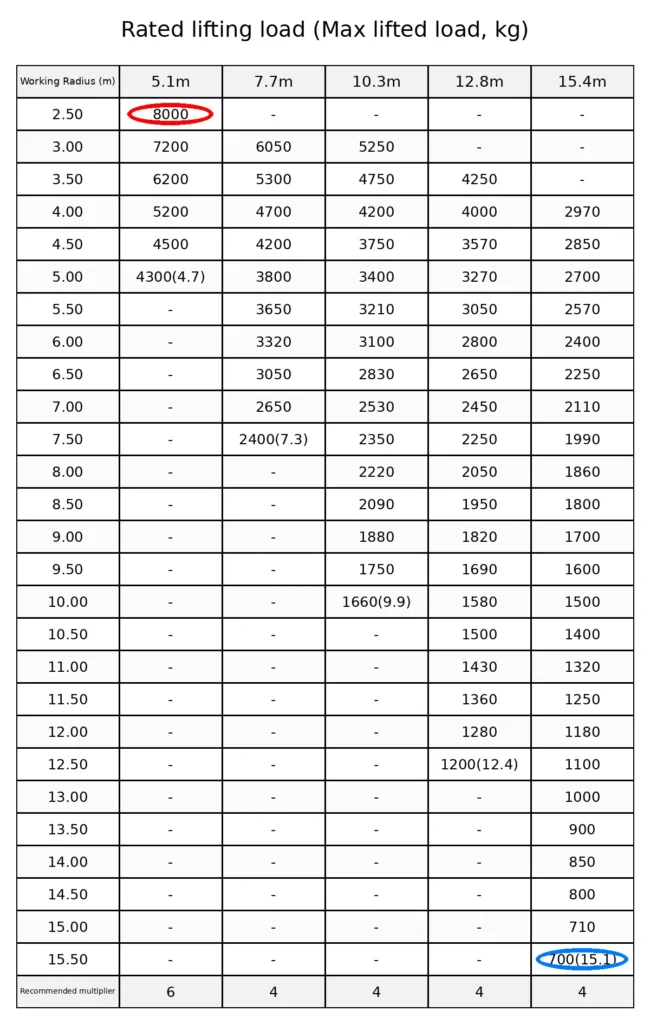
For example 5.1 m, 7.7 m, 10.3 m, 12.8 m, 15.4 m are different boom lengths shown in the table.
Working Radius is the length from slewing center of crane to the hook center when the boom is horizontal.
For example the operating radius shown in the Working Range Chart is the distance on the bottom axis (m).
At the red circle in the table, you can lift 8000 kg.
Because Load Chart is showing
Working Radius = 2.50 m
Boom Length = 5.1 m
Max Lifted Load = 8000 kg
At the blue circle in the table, you can lift 700 kg.
Because Load Chart is showing
Working Radius = 15.50 m
Boom Length = 15.4 m
Max Lifted Load = 700 kg (15.1)
Important notes before operation:
- Please confirm the lifting capacity by working radius, not only by “rated tonnage”.
- Please subtract the weight of hook block + slings + shackles + attachments from the table value.
- Please confirm your outrigger condition (full/partial extension) matches the chart condition.
- Please operate on level ground and use pads/plates if needed.
Need the correct load chart for your job?
Send your details and we will reply with the correct model-specific load chart and recommended configuration.
- Load (t/kg)
- Working radius (m)
- Lift height (m)
- WhatsApp or Email